Bambu Lab P1S Combo vs Creality K1
Head-to-head 3D printer comparison, 2026
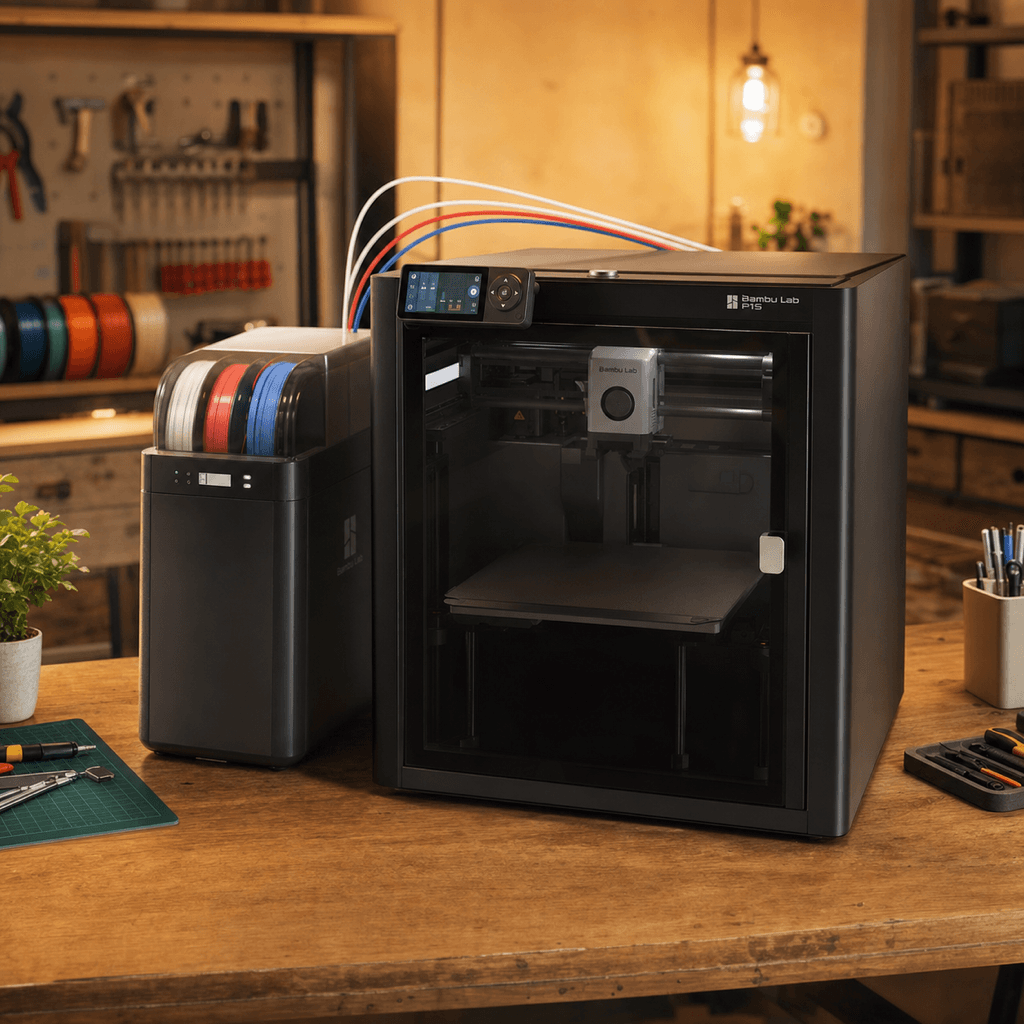

The Bambu Lab P1S Combo and Creality K1 are both FDM 3D printers competing in different tiers, $699 vs $419. Both are scored across value, beginner-friendliness, quality, speed, and reliability. Here's the full breakdown.
Our Verdict
The Bambu Lab P1S Combo takes the crown with 8.8/10 vs 8.6/10. It pulls ahead in Print Quality, Reliability. That said, the Creality K1 saves you $280 and wins on Value, Beginner Friendliness, Speed.
Score Breakdown
Specifications
| Spec | Bambu Lab P1S Combo | Creality K1 |
|---|---|---|
| Price | $699 | $419 |
| Type | FDM | FDM |
| Build Volume | 256 x 256 x 256 mm | 220 x 220 x 250 mm |
| Print Speed | 500 mm/s | 600 mm/s |
| Min Resolution | 0.05 mm | 0.05 mm |
| Weight | 17.5 kg | 12.5 kg |
| Overall Score | 8.8/10 | 8.6/10 |
Pros & Cons
Bambu Lab P1S Combo
+Enclosed chamber plus AMS multi-material in one box, no separate AMS purchase
+HEPA filter handles ABS fumes; the enclosure keeps chamber temperature stable
+Up to 16 colors by daisy-chaining 4 AMS units
+Bambu's reliability track record is the best in the consumer market
−$699 is a significant step up from the A1 Combo's $399
−The P1S hardware is being superseded by the P2S; check current pricing before buying
−AMS still wastes filament on color transitions; purge blocks help but don't eliminate it
−Enclosure lid has to come off to reach prints mid-job
Creality K1
+Enclosed CoreXY at 600mm/s without needing to buy the larger K1 Max
+Auto leveling and WiFi are standard, not options
+Toolless nozzle removal: unscrew nothing, pull the hotend out by hand
+Handles ABS well enough that most users don't feel they need active heating
−220mm cube feels cramped next to the K1 Max's 300mm
−Firmware shipped with issues that needed patches before it printed well
−Enclosure is passive, not heated: ABS warping is reduced, not eliminated
Who Should Buy Which?
Choose the Bambu Lab P1S Combo if you want:
- A great printer for engineering
- A great printer for abs
- A great printer for enclosed
- A great printer for multi-color
- Enclosed CoreXY
- Multi-material (AMS, up to 16 colors with 4 units)
- WiFi
Choose the Creality K1 if you want:
- A great printer for speed
- A great printer for enclosed
- A great printer for beginners
- Enclosed CoreXY
- Auto bed leveling
- WiFi
Frequently Asked Questions
Is the Bambu Lab P1S Combo better than the Creality K1?
By the numbers, the Bambu Lab P1S Combo scores higher (8.8/10). But "better" depends on your use case, the Creality K1 may be the smarter buy if you need speed.
Which is better for beginners, Bambu Lab P1S Combo or Creality K1?
The Creality K1 is more beginner-friendly (8/10 vs 7/10) with easier setup and a gentler learning curve.
Is the Bambu Lab P1S Combo worth $280 more than the Creality K1?
The Bambu Lab P1S Combo scores higher overall (8.8/10 vs 8.6/10). The extra $280 gets you enclosed chamber plus ams multi-material in one box, no separate ams purchase.
What's the main difference between Bambu Lab P1S Combo and Creality K1?
Build volume (256x256x256mm vs 220x220x250mm) and print speed (500 vs 600 mm/s). The Bambu Lab P1S Combo is best for engineering; the Creality K1 targets speed.