Anycubic Kobra S1 Combo vs Kingroon KP3S Pro V2
Head-to-head 3D printer comparison, 2026
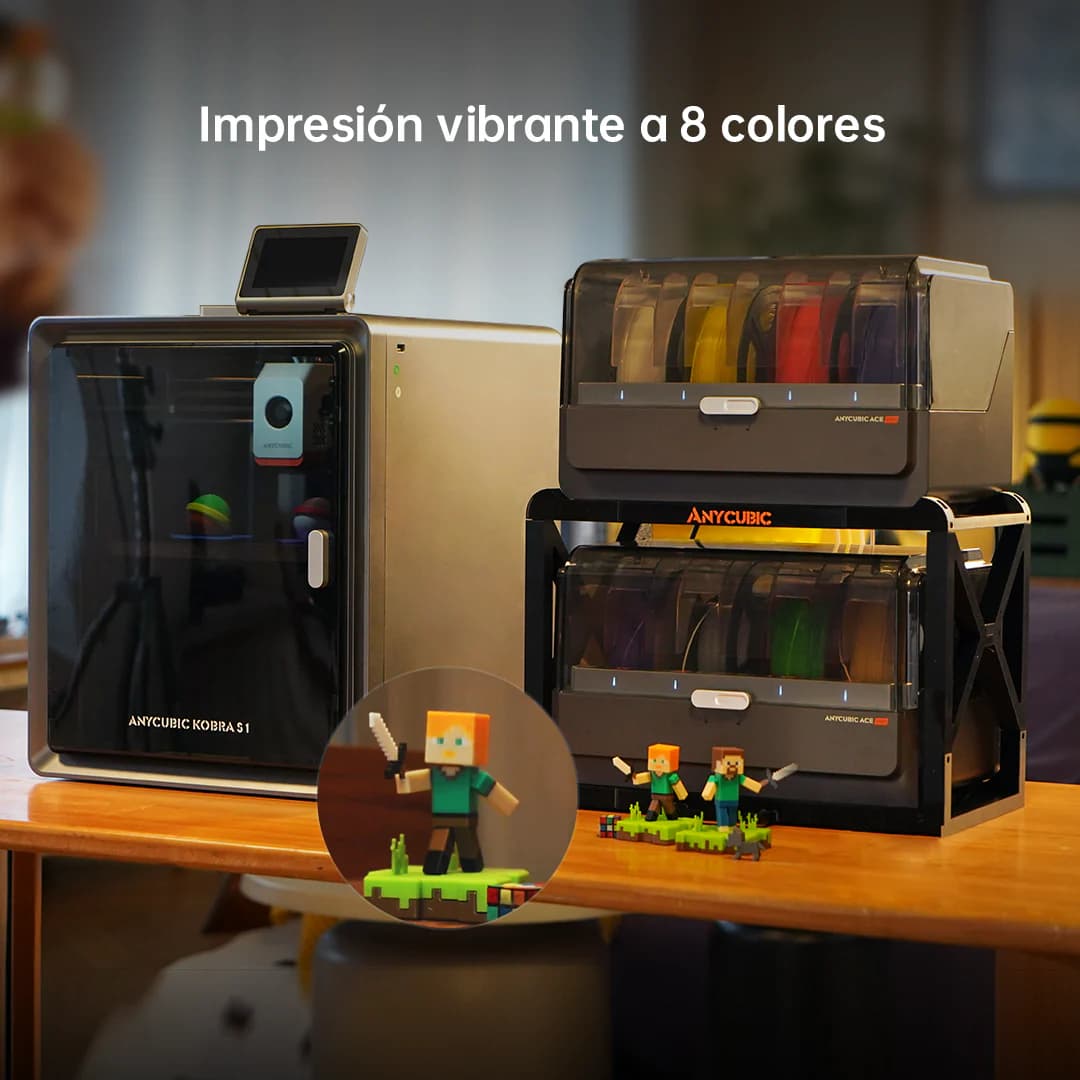
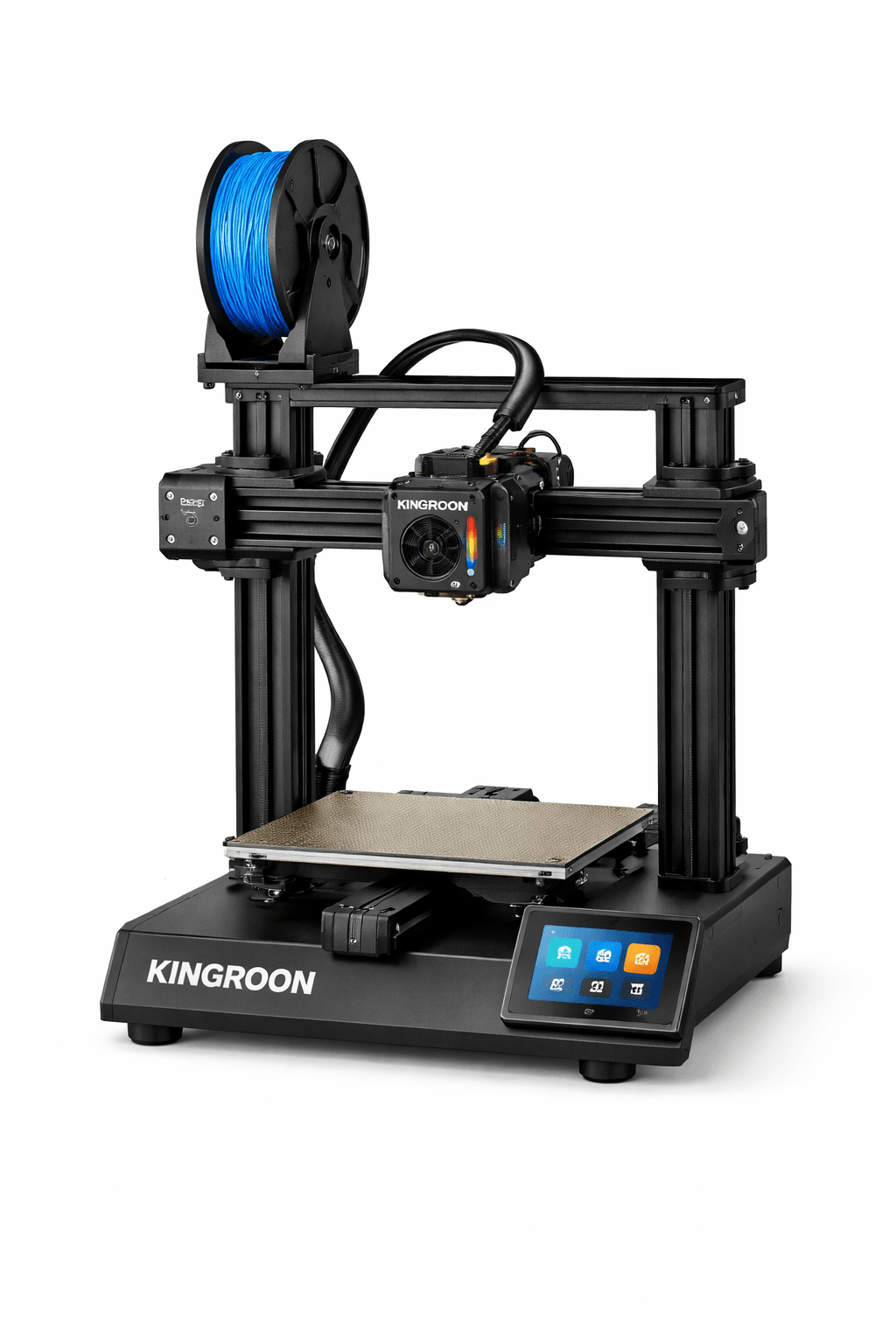
The Anycubic Kobra S1 Combo and Kingroon KP3S Pro V2 are both FDM 3D printers competing in different tiers, $499 vs $159. Both are scored across value, beginner-friendliness, quality, speed, and reliability. Here's the full breakdown.
Our Verdict
The Anycubic Kobra S1 Combo takes the crown with 8.2/10 vs 7.2/10. It pulls ahead in Beginner Friendliness, Print Quality, Speed, Reliability. That said, the Kingroon KP3S Pro V2 saves you $340 and wins on Value.
Score Breakdown
Specifications
| Spec | Anycubic Kobra S1 Combo | Kingroon KP3S Pro V2 |
|---|---|---|
| Price | $499 | $159 |
| Type | FDM | FDM |
| Build Volume | 250 x 250 x 260 mm | 200 x 200 x 200 mm |
| Print Speed | 600 mm/s | 250 mm/s |
| Min Resolution | 0.05 mm | 0.05 mm |
| Weight | 12.5 kg | 6.5 kg |
| Overall Score | 8.2/10 | 7.2/10 |
Pros & Cons
Anycubic Kobra S1 Combo
+8 colors out of the box, double what the Bambu A1 Combo offers
+CoreXY speed at a competitive price point
+ACE Pro 2 wastes less filament on color swaps than its predecessor
+Paint-on multi-color tools in the Anycubic slicer are genuinely good
−Anycubic's software is solid but still behind Bambu Studio
−Community is smaller than Bambu or Creality
−No enclosure
−ACE Pro 2 takes up a lot of desk space
Kingroon KP3S Pro V2
+Linear rails at $159 is genuinely unusual: this feature normally costs $300+
+Direct drive handles TPU without the feeding nightmares of a Bowden setup
+Compact footprint fits on a shelf without dedicating a full desk to it
−200mm cube limits what you can print in one go
−Kingroon's community is small: if something breaks, you're mostly solving it alone
−Firmware is functional but hasn't had meaningful updates in a while
Who Should Buy Which?
Choose the Anycubic Kobra S1 Combo if you want:
- A great printer for multi-color
- A great printer for speed
- A great printer for beginners
- 8-color ACE Pro 2 multi-color system
- CoreXY architecture
- Auto bed leveling
Choose the Kingroon KP3S Pro V2 if you want:
- A great printer for budget
- A great printer for compact
- Linear rails
- Direct drive
- Auto bed leveling
Frequently Asked Questions
Is the Anycubic Kobra S1 Combo better than the Kingroon KP3S Pro V2?
By the numbers, the Anycubic Kobra S1 Combo scores higher (8.2/10). But "better" depends on your use case, the Kingroon KP3S Pro V2 may be the smarter buy if you need budget.
Which is better for beginners, Anycubic Kobra S1 Combo or Kingroon KP3S Pro V2?
The Anycubic Kobra S1 Combo is more beginner-friendly (8/10 vs 7/10) with easier setup and a gentler learning curve.
Is the Anycubic Kobra S1 Combo worth $340 more than the Kingroon KP3S Pro V2?
The Anycubic Kobra S1 Combo scores higher overall (8.2/10 vs 7.2/10). The extra $340 gets you 8 colors out of the box, double what the bambu a1 combo offers.
What's the main difference between Anycubic Kobra S1 Combo and Kingroon KP3S Pro V2?
Build volume (250x250x260mm vs 200x200x200mm) and print speed (600 vs 250 mm/s). The Anycubic Kobra S1 Combo is best for multi-color; the Kingroon KP3S Pro V2 targets budget.