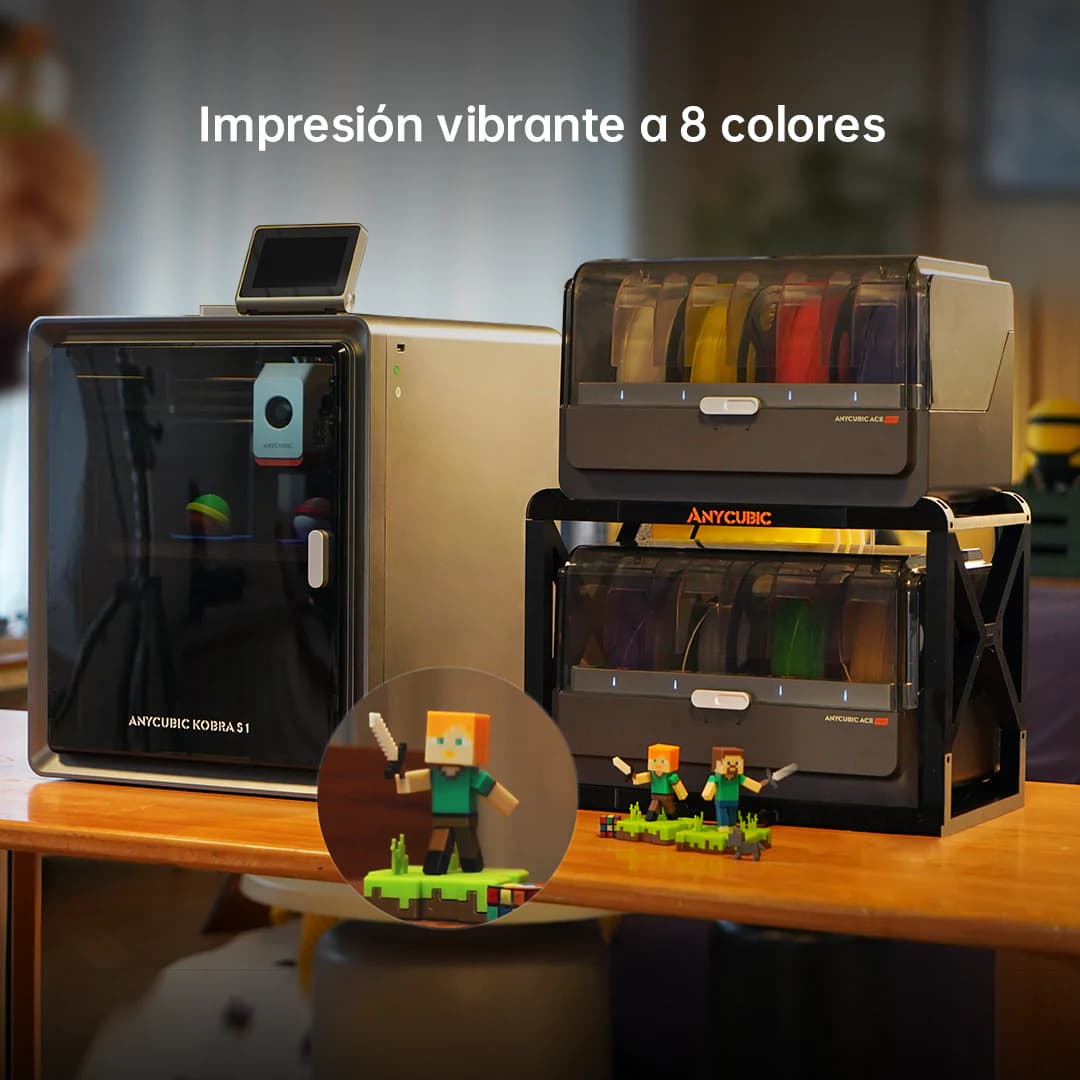
Anycubic Kobra S1 Combo

$499

Buy on Amazon

Anycubic Kobra S1 Combo

  • Scores 8.2 out of 10, #21 of 51 current FDM printers.
  • $499, cheaper than 15 of 51.
  • 16.3 L of build space (250×250×260 mm), 0.8× the 21.6 L average.
  • Best at speed: 9/10, against an average of 7.9.
  • The catch: Anycubic's software is solid but still behind Bambu Studio.

Specs and US prices from the PrintPick catalog, checked 2026-09-29. Scores are PrintPick ratings out of 10.

By Shadman Rahman · Prices checked

Anycubic Kobra S1 Combo
Illustration generated with AI from the manufacturer's published design. Not a photograph.

The verdict

Buy the Kobra S1 Combo. 8.2/10, #21 of 51 FDM printers.

Best multi-color pick if you want more than 4 colors and can't justify going over $500. For figurines, cosplay parts, and detailed decorative prints, the jump from 4 to 8 colors matters more than the spec sheet suggests.

Why buy the Kobra S1 Combo

  • #6 of 51Top 6 FDM printers for speed9/10 vs 7.9/10 average
  • #13 of 51Top 13 FDM printers for beginner-friendliness8/10 vs 7.4/10 average
  • #16 of 51Top 16 FDM printers for reliability8/10 vs 8.1/10 average

The numbers behind it

Right side is the average of the 51 current FDM printers we track. Teal wins the row.

Kobra S1 ComboAnycubic · FDM
vs
Average51 FDM printers
Kobra S1 Combo and Average of 51 compared: specs
Kobra S1 ComboSpecAverage of 51
$499 (wins)Price$520
16.3 LBuild volume21.6 L (wins)
600 mm/s (wins)Top speed476 mm/s
0.05 mm (wins)Finest layer0.054 mm
12.5 kgWeight14.7 kg

Value math

$499 ÷ 16.3 L and $499 ÷ 600 mm/s. Lower is more printer for the money.

Kobra S1 Combo and Average of 51 compared: price per liter of build volume and per mm/s of speed
Kobra S1 ComboSpecAverage of 51
$30.71$ per liter$30.19 (wins)
$0.83 (wins)$ per mm/s$1.37

Scores out of 10

Kobra S1 Combo and Average of 51 compared: PrintPick scores out of 10
Kobra S1 ComboSpecAverage of 51
8Value8.5 (wins)
8 (wins)Beginner7.4
8Print quality8.4 (wins)
9 (wins)Speed7.9
8Reliability8.1 (wins)
8.2 (wins)Overall8.1

Build space, front view, to one scale

  • 250 × 250 × 260 mmKobra S1 Combo
  • 450 × 450 × 470 mmCR-M4, largest current FDM

What owners say

  • 8 colors out of the box changes the game. My multi-color prints are finally as detailed as I imagined them.
    r/3Dprinting
  • The ACE Pro 2 is a massive improvement. Less waste, more reliable color swaps, and double the colors.
    Teaching Tech (YouTube)
  • Anycubic's answer to Bambu's multi-color dominance. Competitive on every front.
    All3DP

Pros & Cons

Pros

  • +8 colors out of the box, double what the Bambu A1 Combo offers
  • +CoreXY speed at a competitive price point
  • +ACE Pro 2 wastes less filament on color swaps than its predecessor
  • +Paint-on multi-color tools in the Anycubic slicer are genuinely good

Cons

  • −Anycubic's software is solid but still behind Bambu Studio
  • −Community is smaller than Bambu or Creality
  • −No enclosure
  • −ACE Pro 2 takes up a lot of desk space

Full specs

Build volume250 × 250 × 260 mm
Layer resolution0.05 to 0.35 mm
Top speed600 mm/s
Weight12.5 kg
TypeFDM (filament)

Features

  • 8-color ACE Pro 2 multi-color system
  • CoreXY architecture
  • Auto bed leveling
  • WiFi + camera monitoring
  • Direct drive extruder
  • PEI spring steel build plate

In our guides (2)

Where the Kobra S1 Combo makes the cut, and what it beats.

Frequently Asked Questions

How much does the Anycubic Kobra S1 Combo cost in 2026?

The Anycubic Kobra S1 Combo costs $499 in 2026. It's a FDM printer from Anycubic. Prices checked 2026-09-29.

What is the build volume of the Anycubic Kobra S1 Combo?

The Anycubic Kobra S1 Combo has a build volume of 250 x 250 x 260 mm.

Is the Anycubic Kobra S1 Combo good for beginners?

The Anycubic Kobra S1 Combo scores 8/10 for beginner-friendliness. It's a great choice for beginners.

What are the pros and cons of the Anycubic Kobra S1 Combo?

Pros: 8 colors out of the box, double what the Bambu A1 Combo offers. CoreXY speed at a competitive price point. ACE Pro 2 wastes less filament on color swaps than its predecessor. Paint-on multi-color tools in the Anycubic slicer are genuinely good. Cons: Anycubic's software is solid but still behind Bambu Studio. Community is smaller than Bambu or Creality. No enclosure. ACE Pro 2 takes up a lot of desk space.

Also worth considering

Bambu Lab A1 Combo
fdm

Bambu Lab A1 Combo

Bambu Lab

$399
9.2/10
Reddit Favorite

Multi-color printing out of the box, reliable enough for beginners, fast enough for anyone who's tired of watching a print head crawl.

Build
256mm
Speed
500mm/s
Bambu Lab P2S
fdm

Bambu Lab P2S

Bambu Lab

$549
9.2/10
Reddit Favorite

P1S replaced by a meaningfully better machine for $100 more. Quick-swap nozzles, 5-inch touchscreen, 1080p AI camera, AMS 2 Pro compatibility. $549.

Build
256mm
Speed
500mm/s
Bambu Lab A1 Mini Combo
fdm

Bambu Lab A1 Mini Combo

Bambu Lab

$299
9.2/10
Best Value

Multi-color Bambu printing for $299. The A1 Mini with AMS Lite bundled: 4 colors, compact footprint, full Bambu software stack.

Build
180mm
Speed
500mm/s