Anycubic Kobra S1 Combo vs Prusa Mini+
Head-to-head 3D printer comparison, 2026
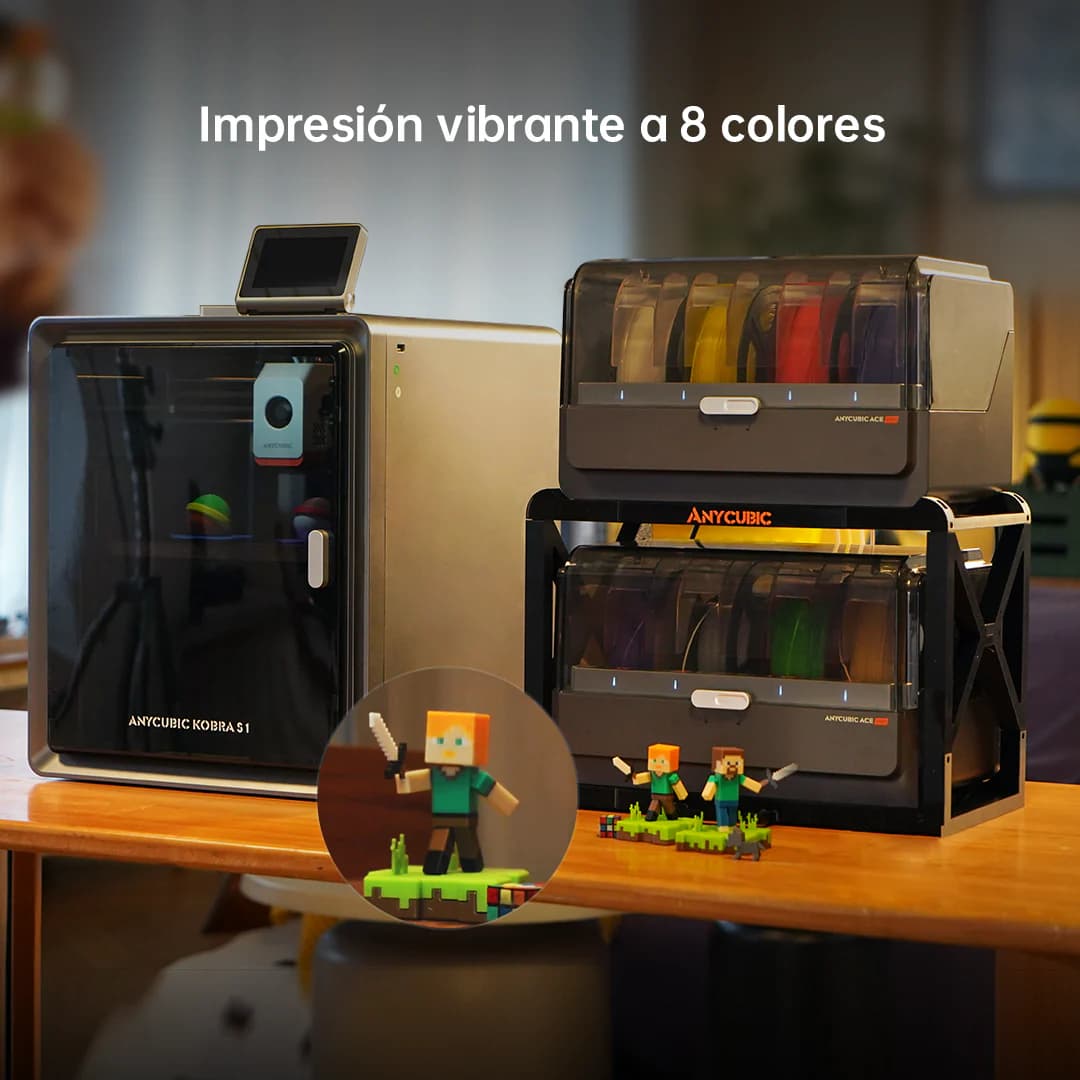
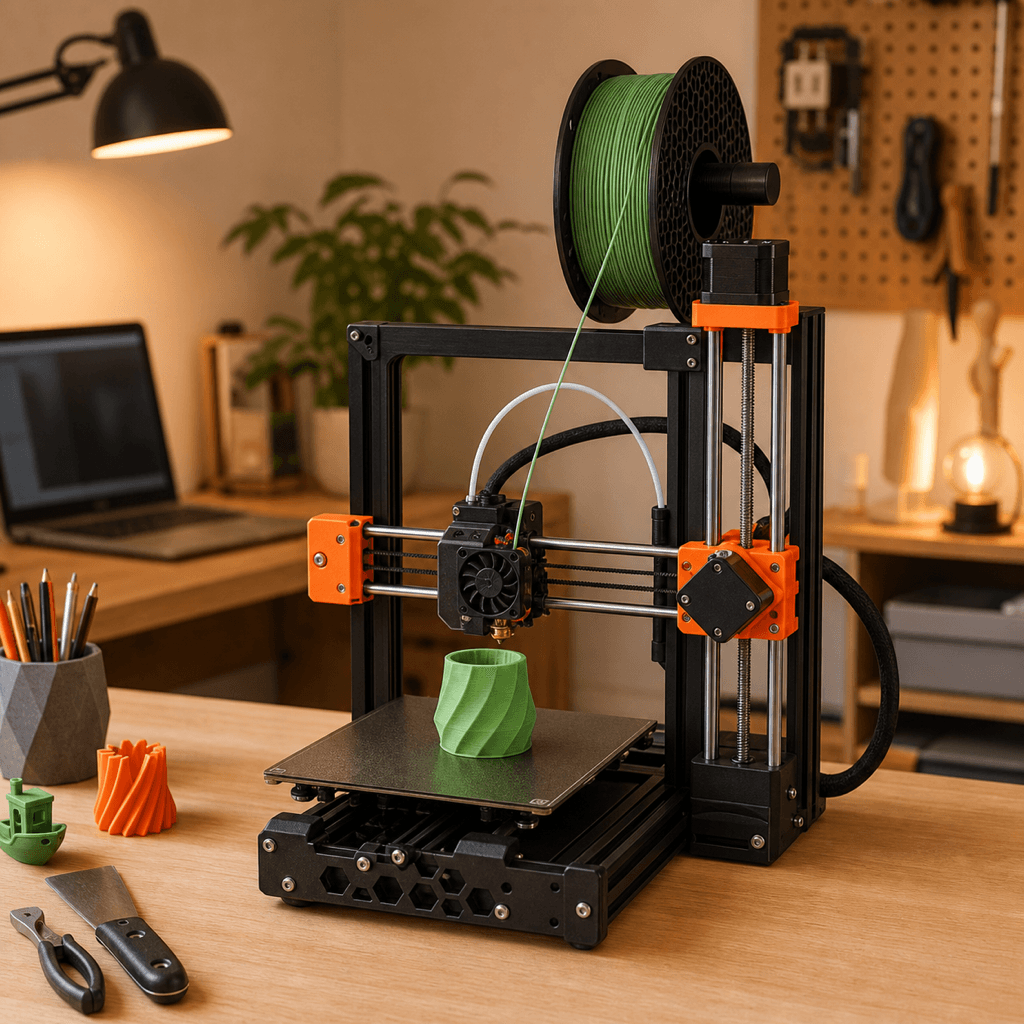
The Anycubic Kobra S1 Combo and Prusa Mini+ are both FDM 3D printers competing in the same price bracket, $499 vs $459. Both are scored across value, beginner-friendliness, quality, speed, and reliability. Here's the full breakdown.
Our Verdict
It's a dead heat, both score 8.2/10 overall. The Anycubic Kobra S1 Combo wins in Speed, while the Prusa Mini+ takes Beginner Friendliness, Print Quality, Reliability. Pick based on which strengths matter more to you.
Direct answer
Anycubic Kobra S1 Combo is the better pick for most buyers.
Choose Anycubic Kobra S1 Combo if you want the stronger overall score, better fit for multi-color and speed, and the safer recommendation. Choose Prusa Mini+ only if its specific strengths matter more to you than the overall result.
Winner by buyer type
Best overall
Anycubic Kobra S1 Combo
Best value
Prusa Mini+
Best build volume
Anycubic Kobra S1 Combo
Score Breakdown
Specifications
| Spec | Anycubic Kobra S1 Combo | Prusa Mini+ |
|---|---|---|
| Price | $499 | $459 |
| Type | FDM | FDM |
| Build Volume | 250 x 250 x 260 mm | 180 x 180 x 180 mm |
| Print Speed | 600 mm/s | 180 mm/s |
| Min Resolution | 0.05 mm | 0.05 mm |
| Weight | 12.5 kg | 4 kg |
| Overall Score | 8.2/10 | 8.2/10 |
Pros & Cons
Anycubic Kobra S1 Combo
+8 colors out of the box, double what the Bambu A1 Combo offers
+CoreXY speed at a competitive price point
+ACE Pro 2 wastes less filament on color swaps than its predecessor
+Paint-on multi-color tools in the Anycubic slicer are genuinely good
−Anycubic's software is solid but still behind Bambu Studio
−Community is smaller than Bambu or Creality
−No enclosure
−ACE Pro 2 takes up a lot of desk space
Prusa Mini+
+Prusa's reputation for reliability is earned — this is their most-owned printer globally
+PrusaSlicer profiles are the gold standard; third-party slicers treat Prusa as the reference
+Open-source means every component is documented, replaceable, and community-supported
+SuperPINDA gives consistently excellent first layers without manual tramming
+4kg makes it genuinely portable — fits in a carry-on with room
−180×180×180mm is small — limits to desk accessories, figurines, and small functional parts
−180mm/s is slow compared to Bambu or Creality CoreXY machines
−Semi-enclosed means ABS warping is still a risk without an aftermarket enclosure
−Prusa charges a premium; the hardware isn't exceptional by 2025 standards
Who Should Buy Which?
Choose the Anycubic Kobra S1 Combo if you want:
- A great printer for multi-color
- A great printer for speed
- A great printer for beginners
- 8-color ACE Pro 2 multi-color system
- CoreXY architecture
- Auto bed leveling
Choose the Prusa Mini+ if you want:
- A great printer for reliability
- A great printer for beginner
- A great printer for value
- A great printer for desktop
- MINI/E input shaper toolhead (NextruderMINI compatible)
- SuperPINDA probe for first-layer precision
- Prusa Connect remote monitoring
Frequently Asked Questions
Is the Anycubic Kobra S1 Combo better than the Prusa Mini+?
They tie at 8.2/10. The Anycubic Kobra S1 Combo suits multi-color and speed, while the Prusa Mini+ is aimed at reliability and beginner.
Which is better for beginners, Anycubic Kobra S1 Combo or Prusa Mini+?
The Prusa Mini+ is more beginner-friendly (9/10 vs 8/10) with easier setup and a gentler learning curve.
Is the Anycubic Kobra S1 Combo worth $40 more than the Prusa Mini+?
The Prusa Mini+ actually scores higher (8.2/10) despite costing $40 less. The Anycubic Kobra S1 Combo only makes sense if you specifically need multi-color.
What's the main difference between Anycubic Kobra S1 Combo and Prusa Mini+?
Build volume (250x250x260mm vs 180x180x180mm) and print speed (600 vs 180 mm/s). The Anycubic Kobra S1 Combo is best for multi-color; the Prusa Mini+ targets reliability.